


Products We Sell, Support, Train & Customize
Affordable, Effective and Easy to Use
We work with a wide range of CRM products, including GoldMine CRM, SugarCRM and Zoho CRM. Our services run across the system development lifecycle from development, implementation and maintenance to testing, upgrades and managed services.
SIMPLE | AFFORDABLE | PROVEN

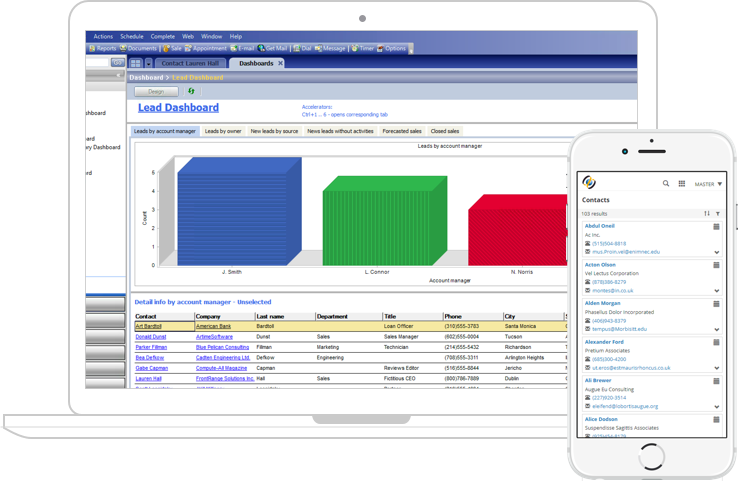
GoldMine Premium is an award-winning CRM solution. Proven and easy to use, GoldMine allows you to focus on building long-lasting customer relationships. Goldmine Premium Edition offers contact management software that is used by organizations of all sizes to manage the sales pipeline, marketing programs and deliver customer support.
Products We Sell, Support, Train & Customize
Affordable, Effective and Easy to Use
We work with a wide range of CRM products, including GoldMine CRM, SugarCRM and Zoho CRM. Our services run across the system development lifecycle from development, implementation and maintenance to testing, upgrades and managed services.
market sell serve
SugarCRM enables businesses to create extraordinary customer relationships with the most innovative, flexible and affordable CRM solution in the market. The company uniquely places the individual at the center of its solution—helping businesses transform the customer experience and enable highly personalized interactions that drive customer excellence and loyalty throughout the entire customer lifecycle.
Products We Sell, Support, Train & Customize
Affordable, Effective and Easy to Use
We work with a wide range of CRM products, including GoldMine CRM, SugarCRM and Zoho CRM. Our services run across the system development lifecycle from development, implementation and maintenance to testing, upgrades and managed services.
Zoho CRM is ready. Are you?

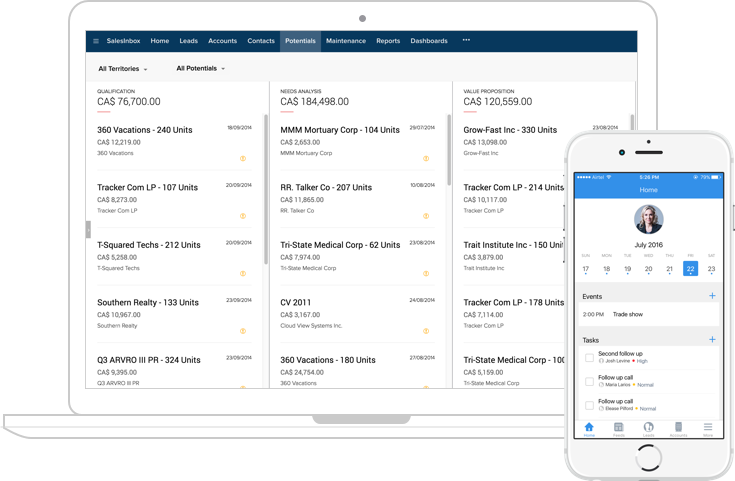
Zoho CRM is an On-demand Customer Relationship Management (CRM) software for managing your customer relations in an efficient manner. It is efficient because, Zoho CRM helps streamline your organization-wide sales, marketing, customer support, and inventory management functions in a single system.
Delight Customers & Drive Growth
Only after we understand your specific needs will you receive a comprehensive and step-by-step blueprint you can implement quickly and easily. Every stage is completed based solely on your needs and unique business processes. Let’s bring your new CRM solution to life!
Pick the "Right" CRM
We listen to what you want and provide alternatives. i.e. on your Servers or in the Cloud based on your list of needs, budget, and circumstances.
Focused Needs Analysis
Successful CRM is based on individual and departmental issues and processes being addressed. Therefore, it is important to identify these with a proper needs analysis.
Training Specialists
Empower your people with the exact training they need, in all areas of CRM. If requested, MS Office Training is available too.
Timely Support & Maintenance
Get the Help you need WHEN you need it. There's a variety of levels of service to suit your requirements.
Ease & Flexibility
Your needs are unique. Customizations and flexible templates are available and simple for an Administrator to handle.
Security & Development
Keep your database secure, clean and accurate. Plus you can develop enhancements for future growth.

The Biggest Risks...
A lack of organization-wide acceptance is the biggest threat to your CRM. That’s why we’re committed to helping you overcome it during your implementation and long after. Factors and area you must consider:
User Adoption
If individual resists a cohesive team effort including Upper Management, it erodes the effectiveness of your CRM.
Installation
While Do-It-Yourself is a popular trend, it is rarely successful. It takes experience and expert knowledge to handle unforeseen network and programming hurdles.
Proper Needs Analysis
If you don't clearly understand company objectives, management issues, departmental challenges then it is unlikely you will resolve them.
Lack of Training
Without proper and professional training, your CRM could become that cliche "a glorified address book".
Not Enough Support
Many companies underestimate their support needs, i.e. rapid growth, new hires and employee churn along with technology upgrades, operating system, and security updates.
Unrealistic Goals
Whether timelines, budgets, resources, or expectations, a realistic understand avoids wasted time, money and effort.
Get Started - Request Your FREE Quote
Complete this form and we’ll contact you promptly to answer any questions and provide your Free Quote.
We Specialize in Customer Relationship Management and Microsoft Office Training
Increase User Confidence and Efficiency
Today’s technology is moving faster and faster and there is no better time than today to schedule training with our experts. Give your users the hands-on training they need to feel confident. User Adoption is what makes a CRM product and Microsoft successful.
CRM Training
Getting CRM Training is critical to increasing users’ awareness of features, functions, and usability in order to ensure the highest levels of user adoption with a broad range of training options. While increasing their confidence in working with the system and provide greater efficiencies.
Learn More about CRM TrainingMicrosoft Office Training
Getting trained in Microsoft Office is an advantage in any job market. While most people have a basic proficiency in Microsoft Office, intermediate, advanced or personalized training can increase confidence and efficiency with the Microsoft product family.
Learn More about Microsoft Office TrainingOur Support Methods
How We Support You
When you have questions or are stuck, our team of trained experts are here to make sure that your questions get answered, any problems are solved and that you have the support you need to move forward and be successful.
Phone Session with Support Expert

We use GoToAssist and GoToMeeting online support tools to screen and keyboard share directly to your computer(s) allowing us to support you no matter where you are in the world.
Schedule a CallOn-Site Hands on With Support Expert

We provide on-site support for installations, upgrades, consulting and any other technical requests you might have to all of the GTA and surrounding areas.
Book an AppointmentSubmit Support Issues to Ticket System

If you can't find a solution to your problem or question(s), our expert support team is here to assist when you submit a ticket. Tickets will be responded in order of creation.
Submit a Ticket
Stay Tuned, Join our Mailing List
Keep up to date with News, Events and Updates
Read More Blogs
Related Blog Posts
-
 17th Apr
Creatio 8.0.8 Atlas Release Notes
At Creatio, we are committed to empowering our customers with industry-leading product innovations for workflow... Read More
-
 8th Jun
GoldMine Premium 2017.1 Hot Fix 1 Released
Released Versions GoldMine Premium 2017.1.0.377 GoldMine Connect 2017.1.0.483 GoldMine Premium Edition ... Read More
-
 28th Jun
SugarCRM 7.9.0.1 Released
SugarCRM has officially released version 7.9.0.1 for all commercial editions. SugarCRM recently detected security... Read More